Geometry Dash
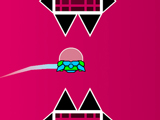
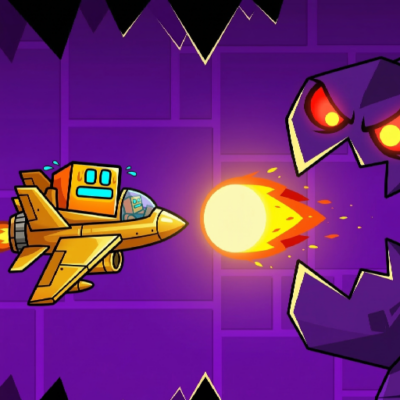





Play Geometry Dash online for free and jump into a game where every jump follows the beat of the music. It’s a platform game packed with action, bright colors and challenges that get harder the further you go.
Did you crash? No problem! This game works the Die and Retry way, which means you can try as many times as you like until you make it. Geometry Dash is great for boys and girls who love fun, fast challenges full of rhythm. Jump, dodge and stay with the music… but careful, one mistake and you’re back at the start!
Ready to play and beat your best score?
About Geometry Dash
Geometry Dash is a really fun platform game where you jump, dodge and follow the beat of the music to move forward.
It was made by a Swedish developer named Robert Topala, also known as RobTop, and it first came out in 2013. Since then, millions of people all over the world have played it.
The best part is that every level is full of color, music and exciting challenges. It’s perfect for boys and girls who like fast games packed with action!
Geometry Dash Gameplay
In Geometry Dash you control a cube that moves forward on its own through levels full of obstacles. The only thing you do is jump, by tapping the screen or pressing a key at just the right moment.
The music sets the pace of the game, so you have to jump at the exact moment to avoid spikes, saws and moving platforms. If you fail, you start the level again from the beginning. The whole game is built on “try and try again”, which pushes you to get a little better every time you play.
As you move on, the levels get faster and harder and put your reflexes and coordination to the test.
History of Geometry Dash
Geometry Dash is a fast platform game made by RobTop Games, the studio of Swedish developer Robert Topala. In it, you guide a cube that jumps and dodges obstacles to reach the end.
The game started in 2013 as a simple project, but it soon became hugely popular all around the world.
After that, other fun versions came out:
- 2014: Geometry Dash Lite is released, a shorter version that’s free.
- 2015: Geometry Dash Meltdown arrives with three easy levels.
- 2016: Geometry Dash World comes out with ten fast, fun levels.
- 2017: Geometry Dash SubZero is released, with new challenges and great music.
Every version brings new challenges, new colors and lots of fun!
Platform
You can play online right in your web browser, on a computer, a laptop, a tablet or a phone.
How to Play Geometry Dash
To play, just open the game in your browser. You can change how your character looks in the menu before you start. Then click the “Play” button and pick your favorite level.
You can play in Normal Mode, or in Practice Mode if you want to train first.
Step by Step
In Geometry Dash, also known as the square game, your job is to guide a cube through levels full of obstacles. The cube moves by itself, and you click or tap the screen to make it jump at the right time.
Stay away from spikes and other obstacles, because if your character hits one, you’ll have to start again!
The levels follow the beat of the music, so it’s best to play with the sound on. That way you can feel the jumps coming and enjoy it even more.
Some levels have secret coins you can collect. Getting them earns you special achievements!
There are also magic portals that change your character’s shape or the way it moves. Every level has its own colors, music and surprises, so the game always stays fun.
Controls
- Jump: Use the space bar, the W key, the up arrow, the Ctrl key or click the mouse.
- Pause: Press the P key to pause the game.
- Special effects: Press the L key to turn the visual effects on or off.
- Restart: Click the green flag to restart the level.
- Important tip: Don’t touch the spikes! If you do, you’ll have to start the adventure over from the beginning.
Basic Rules
- You finish a level when your character reaches the end without touching any obstacle.
- If your character hits an obstacle, you have to start the level from the beginning.
- Your character’s shape can change when it goes through different portals.
- The background can change too when you go through some special portals.
Tips and Tricks for Geometry Dash Online
- Follow the music: Listen to the beat to know when to jump or change shape.
- Practice the levels: Play them several times to learn where the obstacles are.
- Don’t give up: If you fail, keep trying. That’s how you get better.
- Use the portals: They change your shape and the background, so learn how to use them well.
- Short jumps and long jumps: Learn when to do each one to get past obstacles.
- Train in Practice Mode: Use practice to get to know a level without starting over.
Geometry Dash Features
- A fast platform game that mixes music and action in every level.
- Simple, precise controls that are easy to learn and fun to master.
- Levels synced to lively music for an exciting, entertaining ride.
- Colorful graphics and changing backgrounds that keep you hooked.
- Different character shapes that change when you go through special portals.
- A level editor that lets you create and share your own fun challenges.
- Loads of replay value thanks to levels made by other players and difficulty that keeps going up.
- Works on computers, phones and tablets, so you can play anywhere.
More Features
- Lots of levels made by players from all over the world to play and share.
- Achievements you can unlock as you play to win prizes.
- You can change how your character looks with different icons and colors.
- Your progress saves automatically, so you never lose what you’ve done.
- You can record your best runs and share them with friends.
Geometry Dash Online
You can play Geometry Dash online on our site without downloading anything! Just go to geometrydash.ie and open the game.
It works perfectly in browsers like Chrome, Firefox, Edge, Safari and Opera. All the games on our site are just as easy to play.
Geometry Dash Free
You can play Geometry Dash for free on our site without paying a thing! Just come in and start having fun. And all the games on our website are completely free too. Play, jump and have a great time without spending a cent!
Geometry Dash on PC
Play Geometry Dash for free on our website, straight from your computer, with nothing to download. Just open your favorite browser, click and start playing. It’s quick, easy and loads of fun!
Geometry Dash Levels
The levels in Geometry Dash are a series of exciting challenges, and each one is a bit harder than the last. You start with easy levels and little by little work your way up to “Demon” levels that need quick reflexes and a lot of precision.
Lots to Explore
The game has more than 20 levels, each with its own style and its own challenges. For example:
- Hexagon Force: with slanted blocks and portals that change direction.
- Theory of Everything: with special platforms and the fun UFO mode.
Challenges That Get Harder
The levels go from 1 star (very easy) up to 14 stars (very hard). Some of them, like Deadlocked and Fingerdash, are famous for being really tough and need a lot of practice.
The Community’s Creativity
Players can also make and share their own levels, so there are always new challenges and visual surprises to find.
Every Level Is Different
Each level is a different world where you have to react fast and follow the beat of the music to keep going. Have fun and get past every obstacle!
Main Geometry Dash Levels
- Stereo Madness
- Back on Track
- Polargeist
- Dry Out
- Base After Base
- Can’t Let Go
- Jumper
- Time Machine
- Cycles
- xStep
- Clutterfunk
- Theory of Everything
- Electroman Adventures
- Clubstep
- Electrodynamix
- Hexagon Force
- Blast Processing
- Theory of Everything 2
- Geometrical Dominator
- Deadlocked
- Fingerdash
The Hardest Level in Geometry Dash
Tidal Wave is one of the hardest levels in Geometry Dash. The best players needed more than 50,000 attempts and many months of practice to beat it.
That title can change, though, because every so often new levels come out that are even harder.
Level Features in Geometry Dash
In Geometry Dash, players can make levels of different lengths:
- Tiny: under 10 seconds
- Short: 10 to 30 seconds
- Medium: 30 seconds to 1 minute
- Long: 1 to 2 minutes
- XL: over 2 minutes
- Plat.: platformer type, with different lengths and difficulty
When you upload a level, there are some important options:
- Allow copy: other players can copy your level
- Requires password: protects your level with a password if someone copies it
- Unlisted: only people who have the ID can play it
Every level has its own ID, and levels with fewer than 100 objects are deleted automatically. The game keeps your recent levels, and you can sort them into folders.
Game Modes in Geometry Dash
The game has several modes called “vehicles”, and each one moves in a different way. Here are the most important ones:
- Cube: The first vehicle. It jumps from platform to platform using gravity.
- Ship: Flies through the level to get past obstacles in the air.
- Ball: Switches gravity to go up or down, but only when it’s touching the ground or a platform.
- UFO: Jumps in the air like a cube, but can do several jumps in a row.
- Wave: Moves up and down on a diagonal. It’s hard to control in the tough levels.
- Robot: Like the cube, but if you hold the button down, it jumps higher.
- Spider: Flips gravity instantly, snapping from one side to the other.
- Swing: A mix of the ship and the ball that moves through the air.
Geometry Dash Secret Vault
The Secret Vault is a special place in the game where secrets and hidden rewards are kept. To get in, you need to collect keys and special coins that you earn by finishing certain levels.
Once you unlock it, you get exclusive content, like new looks for your cube and unique achievements.
Geometry Dash Full Version
The full version of Geometry Dash is an exciting adventure with a lot more challenges and obstacles than the basic version. In this version you’ll have to dodge spikes, platforms and new elements that make the game even more fun and harder.
On our site you can play the full version, which has 15 different levels with different difficulty levels. Every level is made to test your reflexes and your skills.
Geometry Dash Lite Free
Geometry Dash Lite is a free version of the popular platform game. It has several fun levels, but less content than the full version.
It keeps the essentials: jumping, dodging obstacles and beating challenges that keep getting harder. Even though it’s shorter, this version lets you feel the excitement and fun of Geometry Lite, and it’s perfect if you want to try the game without spending money.
Game Rewards
As you go through the adventure, you can win lots of fun and useful rewards. These prizes make every run more exciting and keep you playing to find everything the game has in store for you.
- Icons: Change how your character looks with new, eye-catching designs.
- Hidden items: Look carefully through every level to find hidden surprises.
- Achievements: Beat special challenges and earn badges that show your progress.
- Daily rewards: Come back every day to get extra prizes and handy help.
- Other paths: Pick different routes and find new surprises as you play.
- Quests: Complete goals to win even more rewards.
Geometry Dash Demon List
The Demon List has the hardest levels made by players. These levels go from Easy Demons all the way to Extreme Demons, and they take a lot of precision and practice.
- Acheron
- Slaughterhouse
- The Hallucination
- Sakupen Circles
- Firework
- Silent Clubstep
- Kyouki
- Tartarus
- Arcturus
- Raeo
Cokitos Geometry Dash
Lots of Geometry Dash fans used to play on Cokitos. But now that our site is all about games like this, you don’t need to play there anymore.
Here we give you the original version of the game, along with all the other editions and updates.
Geometry Dash Poki
Geometry Dash isn’t on Poki yet, but that’s okay. On our page you can play the full version of the game, and all the other versions too!
Different Versions of Geometry Dash
Geometry Dash doesn’t have just one version. Over time, new editions came out with different levels, catchy music and new challenges. That means players can go on new adventures and keep having fun without getting bored.
Geometry Dash Lite
Geometry Dash Lite is the free version of the game. It has several fun, colorful levels and it’s a great way to start playing without paying anything.
Geometry Dash SubZero
Geometry Dash SubZero has more intense levels, with high-energy music and fast challenges. It’s a good pick for players who want to test their reflexes.
Geometry Dash World
Geometry Dash World has 10 levels spread over two worlds. It also has daily challenges, so there’s always something new to find and play.
Geometry Dash Meltdown
Geometry Dash Meltdown brings levels full of energy, powerful music and tricky obstacles. It’s a really fun version for anyone who likes fast action and a steady beat.
Geometry Dash 2.2: The Big Update
The 2.2 update was one of the biggest in the game’s history. It arrived in 2023 and added new ways to play, more rewards and lots of tools to build fuller levels.
- The new Swing game mode was added.
- A new official level, Dash, was added.
- Platformer mode arrived, with a freer, adventure-style way to play.
- 4 platformer levels were added in The Tower.
- New rewards called Moons appeared.
- New shops, chests, icons, achievements and items to customize your character were added.
- The editor got loads of upgrades, like camera controls, visual effects, new sounds and more tools to build levels.
- Buttons were also added for future features like Versus Mode, The Map and Event Levels.
What’s New in Geometry Dash in 2026
In 2026, Geometry Dash is still focused on polishing version 2.2 and getting new features ready for the upcoming 2.21 update.
- Explorers: one of the official levels the community is waiting for most. It isn’t officially out yet, but lots of players link it to the upcoming 2.21 version.
- Versus Mode: this mode could let you compete against other players. The button is already in the game, but the full feature is still on its way.
- The Map: another feature fans are waiting for, which could lay out new levels and adventures more clearly inside the game.
- More Platformer Mode content: after the first levels of The Tower, players are hoping for more adventure maps with Moon rewards.
- Fixes and improvements: recent versions keep adding small tweaks to improve the editor, the levels and the game as a whole.
Download Geometry Dash
Lots of players like to download the game on their devices to play more comfortably and get the most out of it. Here’s how:
- Android: Go to the Google Play Store and download the game by tapping the install button.
- iOS: If you have an iPhone or iPad, open Apple’s App Store and press the button to install the game.
Geometry Dash APK
- APK for Android: If your Android device can’t get Google Play, look for the APK file online and download it to install it yourself.
Download Geometry Dash for PC
- PC: If you’d rather play on your computer, download Geometry Dash from the Steam store.
Geometry Dash Chrome Extension
Lots of fans like to play straight from their browser with a Google Chrome extension. The extension makes it easier to get to the game without visiting the website every time, and it also lets you play without an internet connection.
To download the extension and enjoy the game quickly and easily, click here.
Can You Play Geometry Dash Unblocked?
Of course! You can play Geometry Dash unblocked on our website, geometrydash.ie. Whether you’re at school, in class, at work or on a break, you can play with no restrictions.
Geometry Dash Unblocked 66
If you’re looking for Geometry Dash Unblocked 66, you don’t need to hunt for versions like unblocked 76, unblocked at school or unblocked 6969 anymore. On geometrydash.ie you can play for free, unblocked, with nothing to download. The game works perfectly on all kinds of networks, devices and browsers.
Geometry Dash on Scratch
Did you know you can play and change Geometry Dash on Scratch? With Scratch, you can change how the character looks, redesign the whole game or even add new tools and missions.
It’s a great way to let your imagination run wild and make your own version of the game!
Is Geometry Dash Worth Playing?
Yes, because it’s a fun game that mixes music, speed and lots of excitement. The levels look great, you can play it free online, and every run helps you get better. It might seem a bit hard at first, but with practice it gets even more fun and every win feels special.
What People Think of the Game
Geometry Dash has had lots of great reviews. Players and experts love its colorful, lively style. It can be a bit hard at times, but you can always practice in training mode.
The best part is that there are thousands of levels made by other players, so you’ll always find something new you’ll love!
What Are Achievements and How Do You Get Them?
Achievements are special prizes you win as you play. You can get them by finishing levels, collecting coins, playing on lots of days or doing hard things like not crashing for a long time.
Every time you get an achievement, you unlock something new: it could be a color, a fun icon or a cool effect for your character!
The more achievements you get, the more you can customize in the game!
Geometry Dash Online: Game Details
- Game type: Platform game
- PEGI rating: PEGI 3 (suitable for children)
- Players: Single player
- Level length: Between 1 minute 30 seconds and 2 minutes
- Technology: HTML5
Games Like Geometry Dash
If you like geometry games, you’ll love these too:
- Geometry Dash Wave
- Geometry Dash SubZero
- Geometry Dash World
- Geometry Dash Meltdown
- Geometry Dash Breeze
- Geometry Dash Spam
- Fingerdash
- Geometry Dash Funhouse
- Geometry Dash 2.2
- Geometry Dash 3D
- Geometry Dash Scratch
- Geometry Dash Hyper Wave
Frequently Asked Questions (FAQs)
When did Geometry Dash come out?
It first came out on August 13, 2013, for mobile devices.
Where can I play Geometry Dash for free?
You can play for free on our website, geometrydash.ie, with nothing to download.
Is Geometry Dash safe for kids?
Yes, the game is rated PEGI 3, which means it’s suitable for all ages.
Who made Geometry Dash?
It was made by RobTop Games for mobile devices and later brought to PC.
What is the Scratch version?
There’s an unofficial version made on Scratch by a creator called Griffpatch.
Does the game save your progress?
No, the game doesn’t save your progress automatically. If you leave, you’ll have to start the level from the beginning.
What music does Geometry Dash have?
The music is electronic, fun and fast. Some of the well-known artists who made its songs are Waterflame and F-777.
What is the latest version of Geometry Dash?
The latest official version is 2.11. Version 2.2 is still being made and isn’t officially out yet.
Is Geometry Dash free?
Geometry Dash isn’t completely free. You can play Geometry Dash Lite for free, but the full version costs money.
What is Geometry Dash about?
Geometry Dash is a platform and rhythm game where you get past obstacles, jump at exactly the right moment and follow the beat of the music.
Who is the top 1 player in GD?
In the competitive Geometry Dash community, the player who usually shows up as top 1 is Zoink.
What is the hardest level in Geometry Dash?
The hardest level is “Deadlocked”, known for its tricky challenges and fast moves.
What is the easiest level in Geometry Dash?
The easiest level is “Stereo Madness”, perfect for starting out and learning how to play.
What is the longest level in Geometry Dash?
“Fingerdash” is one of the longest levels, with lots of action and different parts to explore.
How do you install Geometry Dash 2.2?
When version 2.2 is available, you’ll be able to install it from official stores like Google Play or Steam.
Does Geometry Dash improve reaction time?
Yes, playing helps improve your reflexes and reaction time, because you have to act fast to avoid obstacles.
How do you get into the Secret Vault in Geometry Dash?
To get in, you need to find and collect keys and special coins hidden in different levels.
Conclusion
All in all, Geometry Dash is an exciting game that mixes music, challenges and fun in every level. It’s great for kids and players of all ages.
It helps sharpen your reflexes and focus while giving you hours of fun. If you like challenges and adventures full of rhythm, go ahead and play Geometry Dash and see everything it has to offer.
Start playing now and show how fast you can be!
Gameplay Video